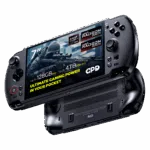
How to replace the GPD WIN 5 Right Joystick/Trigger Module
Learn how to replace the GPD WIN 5’s right stick and trigger module with this step-by-step guide. Required tools include a Phillips 000 driver and tweezers. You may also want a heat source, such as a hairdryer or heat gun, to soften the glue on certain parts for easier removal.
While we do permit self-repairs, any damage you cause is not covered by our warranty (see our Terms & Conditions here). Please only attempt this repair if you are confident in your abilities. We recommend watching the full video first to decide if you are comfortable with the process.
How to replace the GPD WIN 5 Right Joystick/Trigger Module Video
Was this article helpful?
Questions on this guide
No questions on this guide yet — yours will be the first support answers.