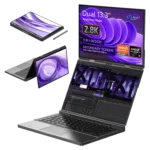
Cómo solucionar el problema de rotura de pantalla del GPD Duo
Si tienes un GPD Duo del primer lote lanzado a principios o mediados de diciembre de 2024, es posible que tu dispositivo tenga un problema de desgarro de pantalla debido a unos controladores antiguos. No deberías necesitar instalar estos controladores a menos que tengas un modelo anterior o te hayan indicado que los instales. Podría resultar que instalaras controladores más antiguos que los que están instalados actualmente en tu GPD Duo.
Puede descargar los últimos controladores desde aquí, o desde la descarga alternativa aquí.
Extrae el contenido del archivo descargado a una carpeta de tu GPD Duo. A continuación, haz doble clic en el archivo AutoInstallDrivers.bat y deja que actualice los controladores.
Una vez que el proceso de instalación haya finalizado por completo, reinicia tu GPD Duo y podrás empezar a utilizarla de nuevo.
Preguntas sobre esta guía
3 respondida(s)Hi, I cannot download as it says too many times, can you please send me a link that works to stop the constant screen taring

I have updated the guide with an alternative download URL. I hope that helps, thanks.
The bottom screen blinks here and there. the drivers didn’t help…
If you purchased the Duo from us at GPD Store, please contact our customer service at [email protected] with your order number and some details on the issue. Our customer service can look into this further and advise. Thanks.
Hi, could you please tell us, what you have modified in this driver?
It’s a bit ridiculous: the device is advertised as a gaming device, so it’s actually important to always have the latest driver.
Now I’m dependent on you in this regard, and you only provide a driver from November 2024?!
You can simply update to the latest AMD drivers afterwards.

Hi Dave,
I tried: Downloaded the latest Driver Package you provide (D1-AMD-GPU_12.1.zip), rebooted.
Afterwards I installed the latest AMD Driver, Version 32.0.22029.1019 from 06.11.2025.
As soon as the new display driver is installed, the Tearing returns.
Is there a special setting or tweak I have to set so that the Tearing disappears?
Can you please email [email protected] with your order number and a brief overview of the issue and our customer service can look into this further. Thanks.
Ohhh, sorry Dave, looks like it was my fault.
Thought I had already updatet the BIOS to the latest one (2.17), but unfortunately didn’t.
Updatet the BIOS, installed your drivers and then the latest drivers from AMD, now the issue seems gone until now.
In case it might appear again, I’ll get in touch with support, thank you very much!