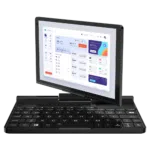
How to replace the GPD Pocket 3 display
This video shows how to replace the display on the GPD Pocket 3. You will need a heat mat, hot air gun or an hair dryer to soften the glue holiding the display to the frame. You will also need a spudger and soft prying tool.
While we do permit self-repairs, any damage you cause is not covered by our warranty (see our Terms & Conditions here). Please only attempt this repair if you are confident in your abilities. We recommend watching the full video first to decide if you are comfortable with the process.
How to replace the GPD Pocket 3 display video
Was this article helpful?
Questions on this guide
No questions on this guide yet — yours will be the first support answers.