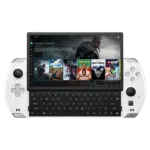
How to replace the GPD WIN 4 SSD
This video provides a step-by-step guide on how to replace the display on a GPD WIN 4. To do this, you’ll need a spudger and a hot air gun or a hairdryer to soften the adhesive holding the screen in place. A hot air gun is the better option, but a hairdryer can also be used, though it will take longer.
While we permit self-repairs, any damage you cause yourself is not covered by our warranty. You can find our full Terms & Conditions here. Please only attempt this if you are confident in your skills. We recommend watching the entire video beforehand to decide if you are comfortable with the process.
How to replace the GPD WIN 4 SSD Video
00:00 How to replace the GPD WIN 4 SSD
00:05 Remove the case screws
00:28 Remove the bottom case strip
01:07 Remove the old glue
01:23 Remove the two case screws
01:41 Open the case
02:26 Slowly separate the case
02:45 Some more screws
03:13 Optional battery disconnect
04:10 Replacing the SSD
04:40 Reconnecting the battery
05:33 Putting everything back together
07:49 Like & Subscribe